Prepare for your next haircut

Build your barber brief

Choose up to 3 styles, add notes, then review and print your sheet or save it as a PDF.

Your discussion notes are not uploaded. Saved private notes are excluded unless you choose to include them.

Styles imported in link order: 1. You can keep adjusting the selection. The link includes styles only, without photos, recommendation answers or notes.

1. Choose your candidates

Loading saved styles…

Styles appear in the order you select them. Remove a style to choose another when you reach three.

1 of 3 selected
1. Choose your candidates
  1. 1. Van Dyke

2. Add discussion notes (optional)

0 / 600 characters

Off by default. If you turn this on, those notes will appear on the printed sheet.

3. Review and print

In the print dialog, choose your printer or Save as PDF. Browser headers and footers can be turned off there.

The link includes only the selected styles in this order. Notes and photos are not included.

BeardStyles

My beard style brief

Candidates to discuss together — agree on the shape and length before trimming.
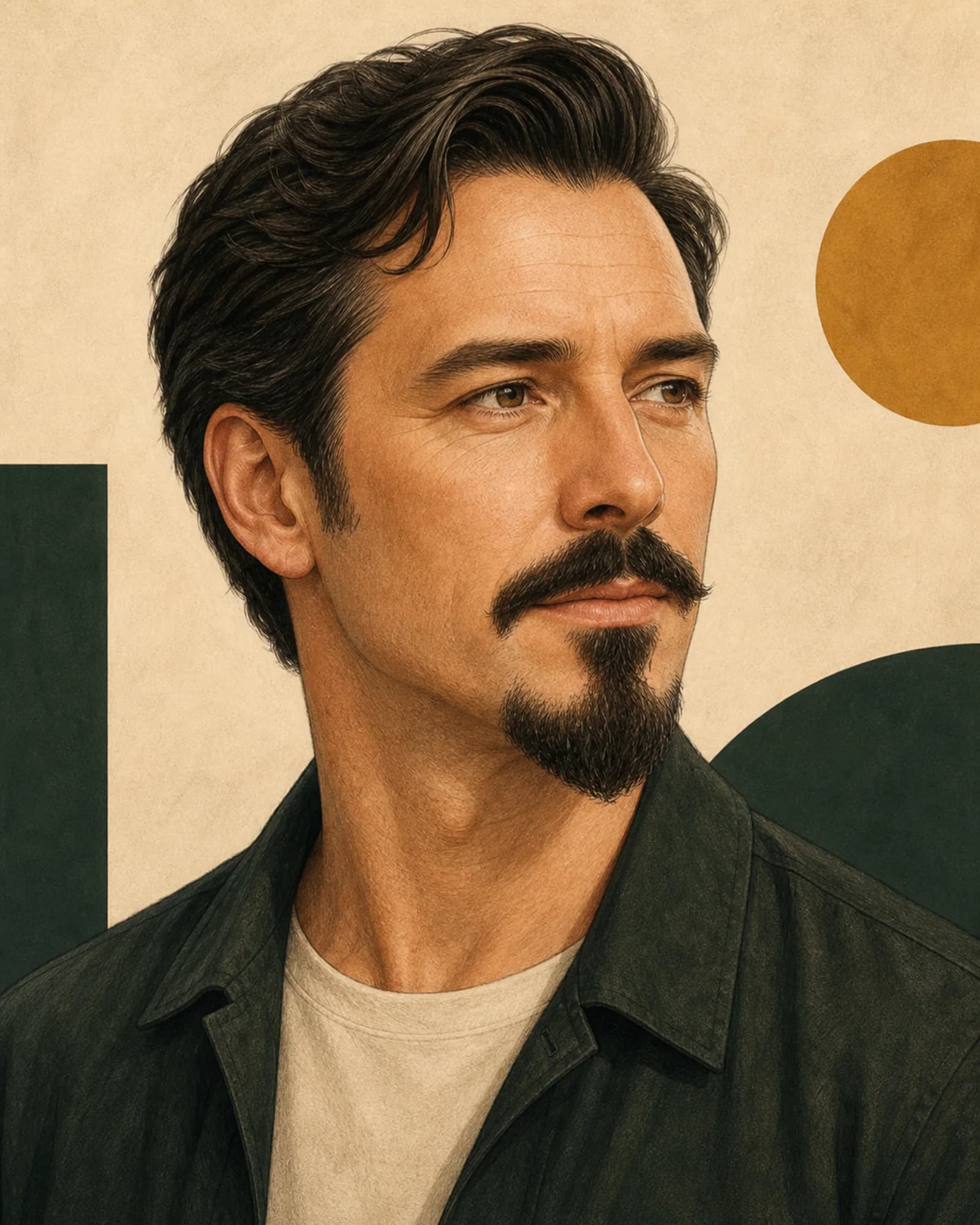
  1. AI illustration of Van Dyke

    1. Van Dyke

    Growth requirements
    Usable mustache and centered chin growth must support two separate shapes and a narrow point; mouth-corner connections are unnecessary.
    Approximate length category
    Medium
    Maintenance tradeoff
    Keep both mouth-corner gaps visible and refine the chin point gradually; overly wide jaw growth changes the narrow silhouette.

    Full guide: https://beardstyles.org/styles/van-dyke-beard

Images are existing AI illustrations, not photos of me or proof of a real try-on result.

These are general style notes, not a professional assessment or a promised result. Length categories are approximate and are not clipper guard settings. Confirm what is practical for my growth pattern with the barber.

Local draft (optional)

Stores styles and discussion notes in this browser, without saved private notes. Anyone using this browser may restore it.

How drafts and links work

Save or update explicitly after editing; only one draft is kept. Refresh restores the styles from the candidate link, not your unsaved changes. Restore a saved draft explicitly to continue it. Saved styles and their private notes are unchanged, and private-note inclusion is never saved. Clearing browser data removes the draft. Deleting the draft leaves the current sheet unchanged.

Restore replaces current choices and discussion notes, and turns off private-note inclusion.

Checking for a local draft…